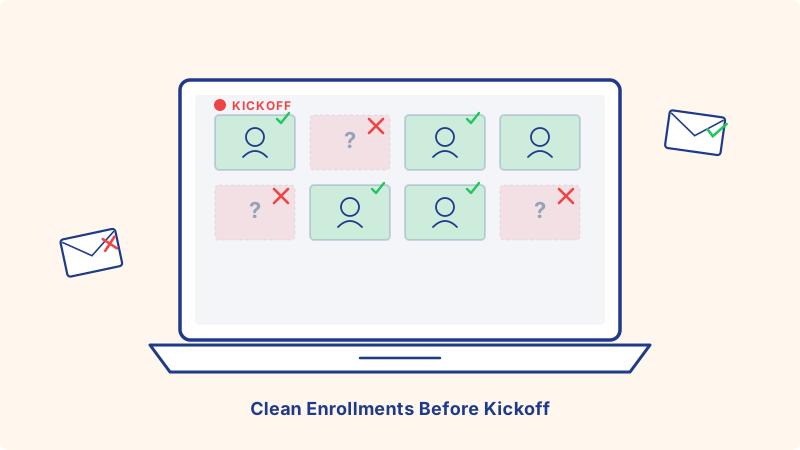
Online course operators have an attendance problem that nobody likes to talk about. A cohort sells 240 seats. The kickoff session is on Tuesday at 6 PM. By 6:05, the Zoom shows 92 cameras. The Slack workspace has 156 joined members, but only 60 have ever sent a message. The LMS reports 71 logins out of 240 enrollments in week one.
Founders blame busy schedules, time zones, and motivation. Often the real culprit is upstream of any of that: the welcome sequence, the Slack invite, the LMS login email, and the kickoff calendar invite never landed in the right inboxes. The enrollment list itself was already broken when the first email tried to send.
Validating enrollment email lists before the welcome sequence kicks off is the cheapest, fastest fix to attendance, deliverability, and revenue retention in cohort-based learning. Here is how the problem builds, where it bites, and how to wire validation into your stack without slowing down enrollment.
Why Cohort Enrollment Lists Decay Faster Than You Think
Course operators assume enrollment lists are clean. The student paid money, the address survived a Stripe receipt, what could possibly be wrong? Three patterns quietly degrade enrollment data, and all three peak in the first 72 hours after purchase.
Typos in checkout fields. Course checkout pages are conversion-optimized. They ask for first name, last name, email, and payment, and the field that gets the least attention is the email. People fill it out on phones, with autofill, while watching the launch video. A real address gets one character off and the student believes they enrolled but the welcome email lands in a stranger’s spam folder. The receipt sometimes goes through (Stripe shows successful charge to the card, not validation of the email), so the typo never surfaces until the student writes in three days later asking where the materials are.
Work emails that bounce on weekends. B2B cohorts (operator schools, sales bootcamps, product management programs) sell heavily to people using their work addresses. A real name@company.com on Friday afternoon becomes a hard-bounce on Saturday morning because corporate IT blocks unfamiliar high-volume sender domains, or the recipient’s mailbox quota is full, or the address has been deprovisioned during a layoff that the student forgot to mention. Welcome sequences send into a wall.
Disposable and aspirational addresses. Free trials, scholarship applications, and discounted cohort tiers attract a small but persistent tail of fake enrollments. Some are price-shoppers using throwaway addresses to access the cohort syllabus PDF. Some are people who genuinely intended to attend but signed up with a personal address they barely check. Either way, they inflate the roster and crater the attendance rate.
Layer those three patterns on top of normal list rot (people change jobs the week before kickoff, mailboxes get archived during reorgs) and a 240-seat cohort can easily ship with 15 to 25 percent unreachable enrollment addresses on day one.
The Specific Damage Bad Enrollment Lists Cause
Every cohort touchpoint runs through email. When email fails, every downstream system fails with it.
Welcome sequences leak conversions. The welcome sequence is where students get the Slack invite, the LMS password, the syllabus PDF, the calendar invite for kickoff, and the pre-work assignment. If 18 percent of the welcome sequence bounces, 18 percent of your roster is going to show up to kickoff confused, missing context, and behind on pre-work. Most of them never catch up. Most of them never refund either (which is bad for retention and worse for reviews).
Slack and Discord invites die at the door. Most cohort communities run on Slack or Discord, and both platforms invite members via email links. A bounced invite means the student never enters the community. Students who enter the community in the first week have dramatically higher completion rates than students who join late, so a broken invite is a near-permanent retention hit.
LMS logins never get reset. Course platforms (Maven, Podia, Teachable, Circle, Mighty Networks, custom LMS builds) send setup links via email. Welcome email bounces, password reset link bounces, magic login link bounces. The student writes to support asking for help, but they write from a different address than the one on file, and now support has to manually verify identity before resetting. That is a lot of friction in week one, and a lot of students just give up.
Kickoff calendar invites land in spam. The kickoff session is the highest-attendance event of the cohort, and it sets social proof for the rest of the program. If the calendar invite (sent via a marketing automation tool, an LMS notification, or a tool like Kali for calendar-invite-based outreach) bounces or hits spam, attendance craters. Students who miss kickoff are statistically the most likely to refund within the cohort’s refund window.
Sender reputation gets nuked. Welcome sequences send to the full enrollment list within 48 hours of purchase. That is a high-volume burst against a single sender domain. If 8 to 12 percent of that burst hard-bounces, mailbox providers (Gmail, Outlook, Apple Mail) take notice and start filtering the rest of your sends into spam for weeks. Your nurture sequence to the rest of the email list (prospects, leads, alumni) suffers from one dirty cohort.
Validate at Checkout and Again Before Kickoff
The right pattern validates twice: once in real time at checkout, and again as a batch the day the welcome sequence sends.
Real-time validation on the checkout form
Adding API-level email verification to your checkout form catches the loudest errors at the moment they happen. Syntax errors, obvious typos (name@gmail.con, name@gmai.com), disposable domains, and known-bad patterns all get rejected at submission. The student sees an inline correction prompt, fixes the address, and completes checkout with a real email on file.
This is the most leverage you will get. A student who submits a typo and gets corrected at checkout never enters your list as a broken record. The address is good from the start, the welcome sequence lands, the Slack invite works, the LMS login succeeds. One small UX addition, an enormous downstream effect.
Checkout flows are sensitive to latency. Pick a verification provider that returns sub-second responses and gives a clear pass / risky / fail signal that your form can act on. Block hard fails, ask for confirmation on risky addresses, and let clean addresses sail through. Stripe Checkout, Lemon Squeezy, Maven, Podia, and Teachable all support either custom form fields or webhook-based interception that can plug validation in.
Batch validation before the welcome sequence sends
Real-time validation catches most checkout-time errors but not the addresses that decayed between purchase and kickoff. People change jobs in the week between paying and starting the cohort. Corporate IT changes mail policies. Mailboxes fill up over weekends.
Running a batch validation on the full enrollment list 24 to 48 hours before the welcome sequence is scheduled to send (and again 24 hours before kickoff for very long pre-launch windows) catches this second wave. The output is a clean send list that you trust, plus a quarantine of risky addresses that you can route to a backup workflow: a personal followup email from the operator, an SMS nudge if the student gave a phone number, or a manual outreach from the support team.
For batch validation, Scrubby is particularly useful here because it resolves catch-all domains specifically. A meaningful percentage of any B2B cohort enrollment list lives at catch-all domains (@small-agency.co, @solo-consultancy.io, smaller B2B operators with custom domains). Standard verification tools flag every catch-all as “unknown” and force you to either send to all of them (inflating bounces) or skip all of them (cutting real students). Resolving catch-alls into deliverable vs undeliverable recovers students you would have otherwise lost to either error path.
Catch-All Addresses Need Their Own Playbook
Catch-all domains accept any mail addressed to that domain at the SMTP level, but the actual mailbox might not exist. anything@theirdomain.com passes a basic verification check because the server answers “yes, I will accept that,” but the address might silently drop, route to a generic catchment that nobody monitors, or bounce later when an admin reviews logs.
For cohort enrollments, catch-alls fall into two groups. Some are real students at small companies, agencies, and consultancies that legitimately catch all mail to a real human. Welcome sequences land, Slack invites work, the kickoff calendar invite gets accepted. Others are placeholder addresses, scraped contacts from a free trial sign-up, or low-quality enrollments that will never produce engagement.
Standard verification tools cannot tell them apart. They mark every catch-all as “risky” and leave you to choose. Deeper verification resolves them into clean buckets so the welcome sequence goes only to the addresses that will actually engage. Done at the right scale, this single workflow change has been worth 30 to 50 percent recovery on what other tools would have classified as unsendable.
Wiring Validation Into Cohort Workflows
The integration pattern looks similar across the most common cohort stacks.
Maven. Maven exposes a webhook on enrollment creation. Route the webhook through a small serverless function that calls your verification API, tags the enrollment record with the verification result, and only triggers the welcome sequence on confirmed-valid addresses. Risky addresses get held for manual review or for the operator to nudge directly.
Podia, Teachable, Thinkific. All three support Zapier or webhook outputs on new enrollment events. A simple Zap (enrollment created -> verify email -> if valid, add to welcome sequence; if not, add to manual review list) covers the most common workflow with no custom code.
Circle, Mighty Networks. Community platforms send Slack-style invites via email. Run validation before the invite is sent (most communities allow batch invite sends from CSV), not after. Once an invite has hard-bounced, the platform marks the member as invited but unreachable, and recovering that state usually requires the student to contact support.
Custom LMS builds. If your LMS is custom-built, the cleanest place to insert validation is in the post-checkout webhook from your payment processor (Stripe, Lemon Squeezy, Paddle). Validate the address before you create the LMS account, store the validation result on the user record, and use it to gate the welcome sequence.
For any stack, the principle is the same: validate at checkout, validate again before the welcome sequence sends, suppress the unreachable addresses from automated workflows, and route them to a human review path so you do not silently lose students.
Specific Scenarios Where This Matters Most
B2B cohort programs sold to corporate buyers. Operator schools, sales bootcamps, product management programs, and engineering leadership cohorts attract enterprise email addresses that have aggressive IT filtering and frequent address turnover. Validate before send and at every milestone (kickoff, mid-cohort, capstone). The corporate IT environment changes faster than any other.
Scholarship and discounted enrollments. Free or heavily discounted seats attract the largest tail of low-intent enrollments using throwaway addresses. Real-time validation at the checkout form is essential. Without it, the roster is half noise and the kickoff session shows it.
Long enrollment windows. If your cohort sells over a 6 to 8 week enrollment window (most popular cohort businesses do), the first students who paid have had two months for their address to decay before the welcome sequence sends. Batch validation before kickoff catches the decay that real-time checkout validation could not have predicted.
Cohorts with companion AI tutoring or async response systems. Cohorts increasingly include AI-powered response systems for Slack / Discord questions or async email replies. Tools like Underfive handle the inbound response side, but they depend on the outbound communication system already being deliverable. AI replies on top of a broken enrollment list still suffer from the underlying email failure rate.
Closing Checklist
Run this before your next cohort sends a single welcome email:
- Is real-time email verification wired into your checkout flow?
- Are obvious typos and disposable domains rejected before payment completes?
- Are you running a batch validation 24 to 48 hours before the welcome sequence sends?
- Are catch-all addresses being resolved into deliverable vs undeliverable, not just flagged as “risky”?
- Does your welcome sequence suppress invalid addresses instead of attempting them?
- Are Slack and LMS invites gated on a verified-valid address?
- Are unreachable students routed to a manual review queue for direct outreach rather than silently dropped?
- Is your kickoff attendance benchmark measured against verified enrollments, not raw checkout count?
- Are refund rates and completion rates segmented by verified vs unverified at enrollment time, so you can quantify the cost of skipping validation?
Validation is not the most photogenic part of running a cohort. It is, quietly, the part that determines whether the rest of the program runs on a clean foundation. Clean enrollment lists drive better kickoff attendance, better welcome sequence deliverability, better Slack engagement, better LMS adoption, better reviews, and better referrals into the next cohort. Skip it and every other optimization you ship runs on a broken first mile.

Scrubby Team
Admin