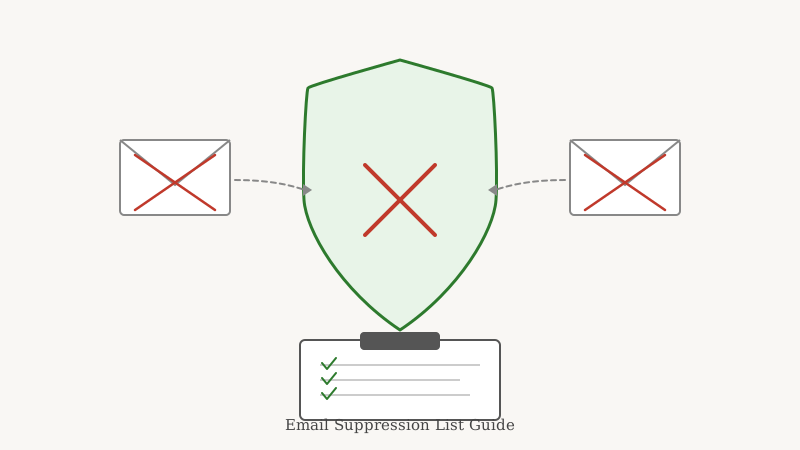
Most senders obsess over the addresses they are going to mail. Far fewer think carefully about the addresses they should never mail again. That second group is exactly where deliverability is won or lost, and the tool that manages it is the suppression list.
A suppression list is a record of email addresses you have decided to exclude from future sends. It is not a list of people you want to reach. It is the opposite: a permanent do-not-mail registry that sits between your database and your email service provider (ESP), quietly filtering out the contacts that would damage your sender reputation if you kept mailing them.
Get it right and it protects your inbox placement automatically, campaign after campaign. Get it wrong (or skip it entirely) and you keep hitting the same landmines: spam complaints, hard bounces, and spam traps that drag your whole domain down.
What actually belongs on a suppression list
A suppression list is broader than most people assume. It is not just unsubscribes. Think of it as every reason you have to stop mailing a specific address:
- Unsubscribes. The obvious one. Anyone who opts out has to be suppressed permanently, and in most jurisdictions this is a legal requirement, not a courtesy.
- Hard bounces. Addresses that returned a permanent failure (the mailbox does not exist, the domain is dead). Mailing these again tells inbox providers you do not clean your list.
- Spam complaints. Anyone who marked your mail as spam. These are the most dangerous addresses to re-mail, because every additional complaint compounds the reputation damage.
- Global suppression / role addresses. Generic inboxes like info@, sales@, and abuse@ that tend to generate complaints or feed straight into monitoring systems.
- Known spam traps and abusive domains. Addresses flagged by blocklist operators as recycled or pristine traps.
- Manual exclusions. Competitors, litigious contacts, existing customers you do not want in a prospecting sequence, or anyone your team has flagged for business reasons.
The unifying idea is simple: if mailing an address carries more risk than upside, it goes on the suppression list and stays there.
Suppression list vs. list cleaning: they are not the same job
People often blur these two together, but they solve different problems and work best as a pair.
List cleaning happens before you import or send. You take a raw list of addresses and check, in real time, whether each one is deliverable. Validation tools verify syntax, confirm the domain accepts mail, and probe whether the mailbox actually exists. The messy middle here is catch-all domains, which accept every address at the server level and hide whether a specific inbox is real. This is exactly the gap Scrubby was built to close: it goes beyond a simple SMTP ping to determine whether a risky or catch-all address is genuinely safe to mail, so you are not forced to either blast unknowns or throw away good leads.
Suppression happens after the fact, and it is permanent. Once an address bounces, complains, or opts out, it earns a place on the suppression list forever. No amount of re-validation should pull it back into an active send.
The clean workflow is to run every new list through validation first, then let your suppression list catch anything that has already disqualified itself. Cleaning keeps bad addresses from entering; suppression keeps disqualified addresses from ever coming back. You want both. Cleaning without suppression means you re-mail known complainers; suppression without cleaning means you keep importing dead and catch-all addresses that never should have gotten in.
How to build and maintain a suppression list
You do not need complex tooling to start. You need discipline and a single source of truth.
1. Centralize it
The most common failure is fragmentation. One suppression list lives in your ESP, another in your CRM, a third in a spreadsheet a teammate keeps offline. The moment they drift apart, someone gets mailed who should not have been. Pick one authoritative store (usually your ESP or CRM) and make every other system defer to it.
2. Automate the obvious inputs
Unsubscribes, hard bounces, and complaint feedback loops should flow into your suppression list without a human touching them. Most ESPs handle unsubscribes and bounces automatically. Complaints come through feedback loops (FBLs) that mailbox providers offer, which forward you a report every time a recipient hits the spam button. Wire those into your suppression process so complainers are removed instantly.
3. Suppress across every sending channel
If you run cold outreach through one platform and newsletters through another, a suppressed address in one has to be suppressed in both. This matters even more for multi-tool GTM stacks. If you book meetings through a calendar-invite tool like Kali alongside your email campaigns, the same do-not-contact rules should apply everywhere so a person who opted out of email is not pulled into a different sequence a week later.
4. Scrub imports against it before every send
Whenever you import a new list, batch or purchased or event-sourced, run it against your suppression list before it ever reaches a campaign. This is where suppression pays for itself: it silently strips out the addresses that would have complained or bounced, and you never see the fallout.
5. Never delete, only append
A suppression list is append-only by design. Removing an entry to squeeze out a few more sends is how senders end up re-mailing a spam trap or a complainer. Treat it like a ledger: entries go in and they stay.
The mistakes that quietly wreck deliverability
A few patterns show up over and over when a sender’s inbox placement mysteriously drops.
- Re-importing an old list “to give it another shot.” That list is old for a reason. Without suppression, you re-mail everyone who already bounced or complained, and inbox providers notice immediately.
- Trusting the ESP’s suppression alone. ESP-level suppression is real, but if you switch providers or run a second sending domain, that history may not travel with you. Keep your own master copy.
- Ignoring soft signals. Addresses that never open across dozens of sends are not on a suppression list by default, but sustained non-engagement is a signal to stop mailing them before they turn into a complaint or a recycled trap.
- Skipping validation and leaning on suppression to catch everything. Suppression is reactive. It only learns an address is bad after that address has already bounced or complained on your reputation. Validating up front with a catch-all-aware tool like Scrubby means far fewer addresses ever reach the point of needing suppression in the first place.
Why this protects your sender reputation
Mailbox providers score you on how well you avoid the recipients who do not want your mail. Every hard bounce says your data is stale. Every spam complaint says your targeting is off. Every hit on a spam trap says you are not cleaning your list. A well-maintained suppression list neutralizes all three before they happen, because the addresses that generate those signals are excluded automatically.
The senders with the best inbox placement are rarely the ones with the cleverest subject lines. They are the ones with the most disciplined suppression hygiene, paired with front-line validation that keeps bad addresses out of the funnel entirely. Build the suppression list, automate its inputs, validate everything upstream, and let the two systems quietly protect your reputation on every send.
If your lists are full of catch-all and unknown addresses that you cannot confidently suppress or send to, that is the exact problem Scrubby solves. Validate the risky ones, suppress the dead ones, and mail the rest with confidence.

Nick Abraham
Cold Email Expert