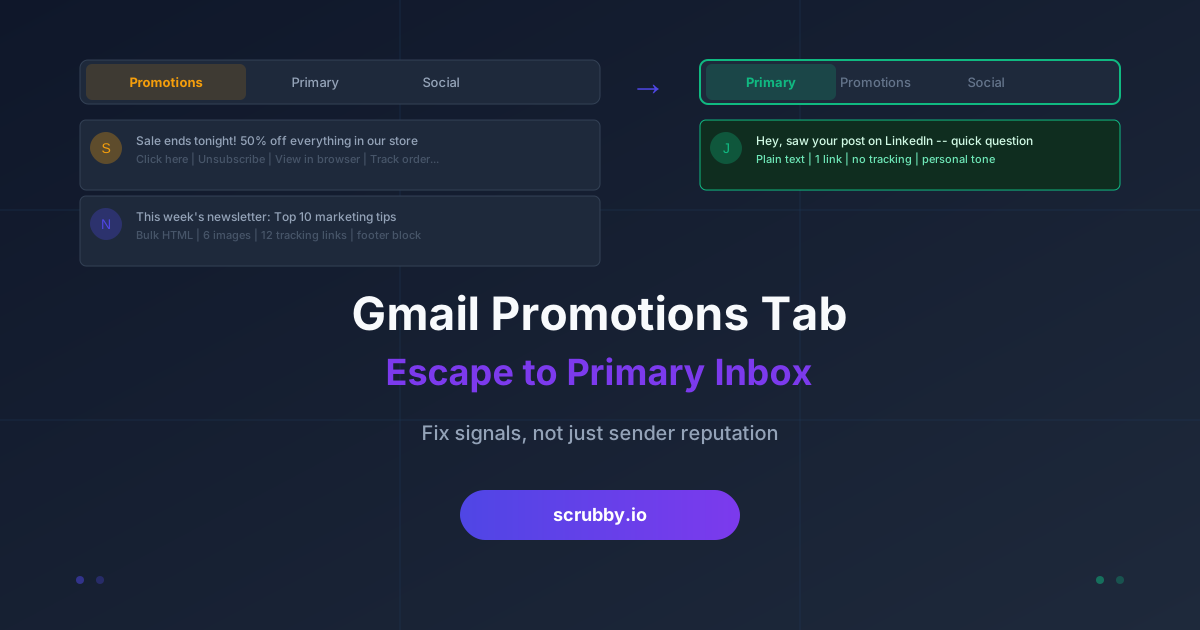
You did everything right. SPF, DKIM, and DMARC all pass. Your bounce rate is low. The email you sent went through. And yet it is sitting in the Gmail Promotions tab, where the average open rate is a fraction of what you see in Primary, and where a busy prospect may never scroll far enough to find it.
For newsletters, Promotions is fine. It is where subscribers expect to find deals. But for cold outreach, sales follow-ups, and any one-to-one message where you want a reply, landing in Promotions is a quiet failure. The message was delivered, so no bounce report warns you, yet the human on the other end never sees it. This guide explains how Gmail sorts mail into tabs, why your one-to-one email keeps getting filed with the newsletters, and what you can actually change to reach Primary.
Promotions is not spam, and that matters
The first thing to understand is that the Promotions tab is not the spam folder. Spam is Gmail deciding your mail is unwanted or dangerous. Promotions is Gmail deciding your mail is commercial but legitimate, and organizing it out of the way so the primary inbox stays focused on personal and transactional messages.
That distinction changes how you fix the problem. Spam placement is a reputation and authentication problem: bad sending IPs, failed DMARC, spam-trap hits, high complaint rates. Promotions placement is a content and signal problem. Gmail has decided your message looks like marketing, and it is usually right, because the message contains the same signals a marketing email would. The fix is to stop looking like a bulk campaign, not to rebuild your entire sending infrastructure.
How Gmail decides which tab you land in
Gmail’s tabbed inbox uses a classifier that reads dozens of signals per message. No one outside Google has the exact weights, but years of testing across senders point to a consistent set of factors.
Content structure. Heavy HTML, multiple images, large tracked buttons, columns, and footer blocks all read as “this was built in a campaign tool.” A short, plain-text-style message reads as “a person typed this.”
Links and tracking. A message packed with links, especially links wrapped in open-and-click tracking redirects, looks promotional. One or two relevant links look personal.
Bulk-send fingerprints. If thousands of near-identical messages leave your domain in a short window, Gmail sees a campaign. Identical subject lines and bodies across many recipients reinforce that read.
Recipient behavior over time. This is the big one. If people open your mail, reply, star it, or drag it to Primary, Gmail learns that senders like you belong in Primary. If people ignore or delete without opening, Gmail files you with the promos. Engagement is the single strongest long-term signal.
List-Unsubscribe headers. A one-click unsubscribe header is required for bulk senders and is good practice, but on a genuinely one-to-one sales email it is one more marketing fingerprint that can nudge you toward Promotions. Match the header to the message type.
The content changes that move you to Primary
Start with the message itself, because it is the fastest lever and the one you fully control.
Write the email the way you would write to a colleague. Plain text or very light HTML. No banner image at the top, no logo footer, no three-column layout. If your outreach template looks like a mailbox flyer, Gmail will treat it like one.
Cut the links. A single relevant link is fine. A signature stuffed with social icons, a website link, a booking link, and a legal footer is four promotional signals in the space where a human would put their name. Trim the signature to a line or two of plain text.
Turn off open tracking on true one-to-one outreach, or at least be aware of the cost. Open-tracking pixels and click-wrapped links are among the clearest “this is automated marketing” tells. Many cold email platforms let you disable tracking per campaign. For high-value prospecting, the deliverability gain is usually worth losing the open-rate metric. A tool built for calendar-invite outreach like Kali leans on a fundamentally more personal delivery pattern than a mass HTML blast, which is part of why invite-style touches often sidestep the Promotions bucket entirely.
Vary your sends. Identical subject and body across a large batch is a bulk fingerprint. Personalize the first line and the subject so no two messages are byte-for-byte identical, and spread sends out rather than firing a thousand at once.
Why list quality decides the outcome
Content gets you into Primary. Engagement keeps you there, and engagement is impossible to earn from addresses that never should have been on your list in the first place.
Here is the mechanism. Every send to a dead, mistyped, or abandoned address is a message that will never be opened, replied to, or dragged to Primary. From Gmail’s point of view, that is a sender whose mail consistently goes unengaged, which is exactly the profile it files under Promotions, and eventually under spam. Worse, some of those bad addresses are recycled spam traps, and hitting those damages the domain reputation that governs tab placement for every message you send afterward.
This is why inbox placement is downstream of list hygiene. You cannot out-write a dirty list. If a third of your recipients are invalid, a third of your sends generate zero positive signal and a steady drip of negative ones, and no amount of plain-text formatting overcomes that math.
Cleaning the list before you send is the fix. Running your addresses through validation removes the hard bounces, the role-based catch-alls, and the risky unknowns that drag engagement down. This is exactly the gap Scrubby is built to close: it verifies the catch-all and risky addresses that most validators skip, so the list you actually send to is made of real, reachable people. Send only to addresses that can engage, and the engagement signal that pushes you toward Primary starts working in your favor instead of against you.
Warm the domain and keep sending consistent
New domains and new sending patterns get filed conservatively until Gmail has enough history to trust you. If you spin up a fresh domain and immediately send five hundred cold emails, Gmail has no engagement history to go on and defaults to caution.
Ramp gradually. Start with a low daily volume to engaged recipients, let replies and opens accumulate, and increase over weeks rather than days. Keep your volume steady rather than spiking, because sudden surges look like a compromised account or a bulk blast. Consistency is a trust signal in its own right.
Once you are established, protect that reputation. Keep validating new addresses before they enter a sequence, monitor your complaint and bounce rates, and prune anyone who has gone cold. Inbox placement is not a one-time setup; it is a standard you maintain every time you hit send.
A short checklist for reaching Primary
- Write plain-text-style messages, not HTML campaigns, for one-to-one outreach
- Keep links to one or two, and trim your signature to plain text
- Disable open tracking on genuine one-to-one sends
- Personalize subject and first line so batches are not byte-identical
- Validate every list before sending so bad addresses never suppress your engagement
- Warm new domains slowly and keep daily volume steady
- Watch engagement, complaints, and bounces, and prune cold contacts regularly
The Promotions tab is not a punishment, it is a classifier doing its job with the signals you hand it. Hand it a personal-looking message sent to a clean list of people who actually engage, and Primary is where you belong. Start with the list, because everything else you do is wasted on addresses that were never going to reply.

Nick Abraham
Cold Email Expert