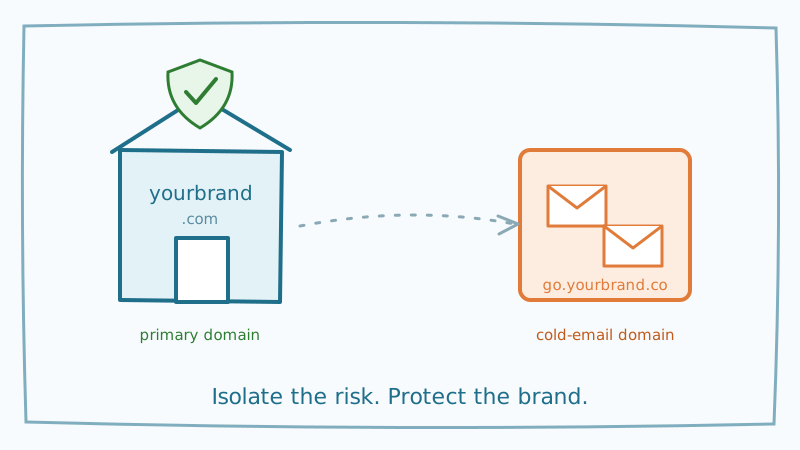
There is a mistake that quietly wrecks more cold email programs than any subject line ever could: sending outreach from your primary company domain. It feels harmless. You already own the domain, the mailboxes are set up, and the address looks trustworthy. But the moment your cold campaigns start generating bounces, spam complaints, or spam-trap hits, that damage attaches to the same domain your invoices, password resets, and customer conversations depend on. One aggressive prospecting month can quietly tank the deliverability of every email your company sends.
The fix is structural, not tactical. Serious senders run cold outreach from a separate, dedicated sending domain that is deliberately isolated from the main brand. This guide explains why that separation matters, how to set it up correctly, and how to keep the new domain healthy once it is live.
The problem with sending cold email from your main domain
Email deliverability is governed by reputation, and reputation is tied to your domain. Mailbox providers like Gmail and Outlook watch how recipients react to mail from yourbrand.com and adjust placement accordingly. Transactional and one-to-one mail earns a strong reputation because people open it, reply to it, and rarely complain.
Cold email behaves very differently. Even a well-run campaign to a clean list produces some non-responses, a few complaints, and the occasional bounce. To a mailbox provider, a sudden burst of unsolicited messages from a domain that normally sends low-volume personal mail looks like a red flag. If any of those addresses are dead or recycled into spam traps, the reputation hit is immediate and it applies to the whole domain.
Here is the part that catches people off guard: the damage is not confined to the campaign. Once yourbrand.com is flagged, your order confirmations start landing in spam, your support replies go unseen, and your sales team’s follow-ups vanish. You cannot un-send a reputation problem, and rebuilding trust on a burned domain takes months. Isolating cold outreach on a domain you can afford to lose is the only way to make that risk survivable.
What a separate sending domain actually is
A dedicated sending domain is a distinct domain, usually a close variant of your brand, used exclusively for outbound prospecting. If your company lives at yourbrand.com, your cold email domain might be yourbrand.co, getyourbrand.com, or yourbrand-mail.com. It has its own DNS records, its own authentication, and its own reputation that is completely separate from your primary domain.
The goal is twofold. First, it quarantines risk: whatever happens to the sending domain’s reputation never touches your corporate mail. Second, it gives you room to scale. You can run several sending domains in parallel, spreading volume so no single domain carries a load heavy enough to look like spam. If one domain does get burned, you retire it and the rest of your operation keeps running.
Crucially, a separate sending domain is not a trick to evade filters. It is a legitimate infrastructure pattern that every reputable outbound team uses. You still authenticate properly, send to real people, and honor unsubscribes. You are simply keeping your experimental, higher-risk mail stream away from the mail your business cannot afford to lose.
Step by step: setting up your cold email domain
1. Buy a look-alike domain
Register a domain that is clearly related to your brand but distinct from your primary. Keep it professional so it still reads as trustworthy in the From line. Avoid random strings and spammy top-level domains. A clean .com, .co, or .io variant of your brand name works best. Buy two or three if you plan to scale, because rotating domains later is far easier than starting from scratch.
2. Set up mailboxes on the new domain
Create your sending mailboxes, typically at Google Workspace or Microsoft 365, on the new domain. Give each one a real name and a complete profile, and keep the number of mailboxes per domain modest. Two or three sending addresses per domain is a common ceiling. Spreading volume across mailboxes and domains keeps any single sender from looking like a firehose.
3. Configure authentication: SPF, DKIM, and DMARC
This is non-negotiable. Every sending domain needs the full trio of authentication records so mailbox providers can verify your mail is legitimately yours. SPF lists the servers allowed to send for the domain, DKIM cryptographically signs your messages, and DMARC tells receivers what to do when a message fails. Skipping any of these tells Gmail and Yahoo to distrust you before a recipient ever sees the message. If you need a refresher on getting these right, our step-by-step guides on SPF, DKIM, and DMARC walk through each record in detail.
4. Set up a redirect to your main site
Point the new domain at your primary website with a simple redirect. When a curious prospect types your sending domain into a browser, or when a filter checks whether the domain resolves to a real business, they should land on your legitimate brand. A domain that goes nowhere looks disposable and hurts trust.
5. Warm the domain before you send at volume
A brand-new domain has no reputation, and mailbox providers treat unknown senders with suspicion. Warming means gradually ramping sending volume over several weeks while generating positive engagement, so providers learn to trust the domain before it carries real campaign load. Start with a handful of sends per day per mailbox and increase slowly. Warming that is rushed is warming wasted, because a cold domain that suddenly blasts hundreds of messages gets filtered immediately. Our breakdown of why warmup fails when the underlying list data is bad is worth reading before you start, because warming a domain while sending to junk addresses actively trains the wrong reputation.
The step most people skip: validate the list before you send
You can register the perfect domain, configure flawless authentication, and warm patiently for a month, and still burn the whole thing on day one by sending to a dirty list. This is the failure mode nobody talks about, because it hides behind good intentions.
The math is unforgiving. Cold outreach lists, especially scraped or purchased ones, are riddled with invalid addresses, catch-all domains, and recycled spam traps. Every hard bounce signals to mailbox providers that you do not know who you are emailing, which is the single clearest marker of a spammer. Hit a recycled spam trap and your fresh domain’s reputation is damaged before it ever had a chance to build one. All the warming in the world cannot outrun a bounce rate above a few percent.
This is exactly why validation belongs at the front of the process, not the end. Running your list through Scrubby before your first send removes the dead addresses and, critically, verifies the risky catch-all and unknown addresses that most validators simply skip. That last part matters for cold email specifically, because a huge share of B2B prospect addresses sit on catch-all domains that ordinary verification tools mark as “unknown” and pass through untouched. Sending to those blind is a gamble your new domain cannot afford. Clean the list first, and every send from your warmed domain lands on a real, reachable person who can actually engage, which is the behavior that builds reputation instead of destroying it.
Keeping your sending domains healthy over time
Setting the domain up is the start, not the finish. Reputation is maintained every time you hit send, and a healthy sending domain requires ongoing discipline.
Keep validating. New addresses enter your pipeline constantly, and a list that was clean last quarter drifts as people change jobs and abandon inboxes. Re-verify before every major campaign. Monitor your bounce and complaint rates, and if either climbs, slow down and investigate rather than pushing through. Rotate domains and mailboxes so no single one shoulders unsustainable volume, and retire any domain whose reputation has slipped rather than trying to nurse it back.
The pattern that separates teams who scale cold email from teams who keep torching domains is simple: they treat the sending domain as disposable infrastructure and the prospect list as the thing worth protecting. When outreach turns into booked meetings, an invite-first tool like Kali keeps that momentum on a delivery pattern designed to actually reach the inbox, rather than a bulk blast that undoes the reputation you worked to build. Do the structural work up front, keep the list clean, and your cold email program becomes something you can grow instead of something you constantly rebuild.
The short version
- Never send cold email from your primary company domain: one bad month can burn the mail your business depends on
- Register a professional look-alike domain dedicated to outbound, and give it its own mailboxes
- Configure SPF, DKIM, and DMARC on every sending domain before you send anything
- Redirect the domain to your real site so it reads as a legitimate business
- Warm the domain slowly over weeks, ramping volume while building positive engagement
- Validate your list before the first send, because a dirty list burns even a perfectly warmed domain
- Keep validating, monitoring, and rotating domains so reputation stays healthy as you scale
Cold email at scale is not about clever tricks. It is about building infrastructure that isolates risk and feeding it a clean list so the reputation you build actually lasts. Start with a separate domain, protect it with a validated list, and you give your outreach room to grow without ever putting the rest of your business on the line.

Nick Abraham
Cold Email Expert