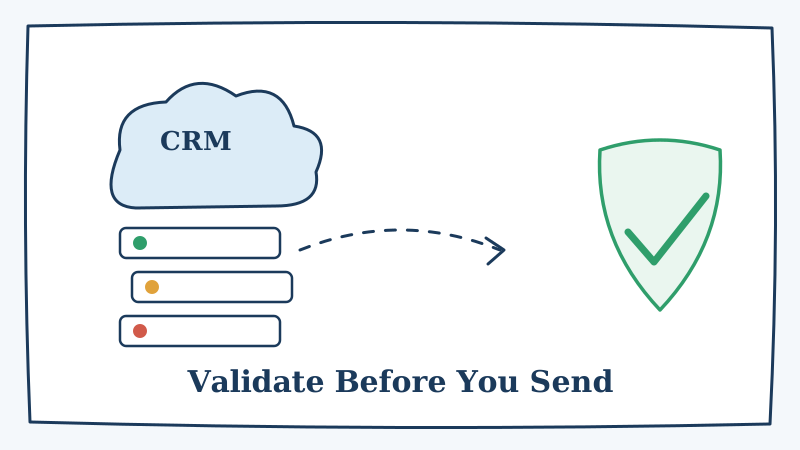
Your Salesforce org is probably the single largest email list your company owns. It is also one of the fastest to rot. Contacts change jobs, companies rebrand their domains, and reps type addresses by hand into fields that no one ever checks. By the time you launch a campaign against that data, a meaningful slice of it is already dead.
The problem is that Salesforce does not validate deliverability. It will happily store jane@oldcompany.com long after Jane left, and it will store jhon@acme.con exactly as the rep fat-fingered it. When you push that list into Marketing Cloud, Pardot, Outreach, or any sending platform, every one of those bad addresses becomes a hard bounce. Enough of them, and mailbox providers start throttling or blocking your legitimate mail.
This guide walks through why Salesforce data decays, what a bounce actually costs you, and how to validate contacts before they ever reach a send.
Why Salesforce contact data decays so quickly
CRM data does not go stale at a steady trickle. It decays at roughly 22 to 30 percent per year, and B2B data decays faster than consumer data because job changes are constant. A contact you enriched twelve months ago has close to a one in four chance of being wrong today.
The most common sources of bad Salesforce email data are:
- Manual entry by reps. Free-text email fields invite typos, and no one proofreads them.
- Job changes. When a contact leaves a company, their corporate address bounces immediately, but the record lives on.
- Web-to-lead and form fills. Public forms attract disposable addresses, role accounts, and deliberate garbage.
- List imports. Purchased or scraped lists get dumped into Salesforce with zero verification.
- Catch-all domains. Many corporate domains accept every address at the server level, so a syntax check tells you nothing about whether the mailbox exists.
That last point is the one most teams miss. A catch-all domain returns “accepted” for any address you throw at it, which means standard verification tools mark those contacts as valid when they may not be. Sorting catch-all addresses correctly is exactly the problem Scrubby was built to solve, because it validates the ones other tools give up on instead of guessing.
What a bounce actually costs
A hard bounce is not a neutral event. Mailbox providers treat bounce rate as a core signal of list quality, and they use it to decide whether your future mail lands in the inbox, the spam folder, or nowhere at all.
Here is the chain reaction a dirty Salesforce list sets off:
- You send a campaign to 50,000 contacts.
- Eight percent bounce because the list was never validated.
- Gmail and Outlook register a 4,000-address bounce spike from your domain.
- Your sender reputation drops, and inbox placement for the good 46,000 contacts falls with it.
- Opens and replies crater, and the campaign underperforms even for reachable people.
The bounces you can see are only half the damage. The invisible cost is the deliverability hit to every valid contact on the same send. Keeping bounce rates under two percent is the widely accepted threshold for protecting reputation, and you cannot hit that number on unverified CRM data.
How to validate Salesforce contacts before you send
You do not need to rip out your CRM or change how reps work. You need a validation step between “data sits in Salesforce” and “data goes into a campaign.” There are three practical ways to add one.
1. Batch export and clean before major sends
Before any large campaign, export the target segment from Salesforce as a CSV, run it through a validation service, and re-import the results with a status flag. This is the simplest approach and it works well for scheduled newsletter blasts, quarterly announcements, or event invitations where you know the audience in advance.
Map the returned status back to a custom field such as Email_Validation_Status__c so your marketing team can filter on it. Then build your campaign audience to include only addresses marked valid, and route the risky and unknown ones to a manual review or a re-verification queue.
2. Validate at the point of entry
Batch cleaning fixes the list you have, but it does not stop new bad data from arriving. To close the gap, validate email addresses the moment they enter Salesforce, whether through a web-to-lead form, an API insert, or a rep typing into a record.
An inline validation call rejects malformed syntax, blocks known disposable domains, and flags addresses that fail a deliverability check before the record is ever saved. This keeps your database clean at the source instead of forcing you to scrub it repeatedly.
3. Schedule recurring hygiene passes
Even a perfectly clean list decays. Set a recurring job, monthly or quarterly, that re-validates contacts that have not been emailed recently or that were last verified more than 90 days ago. Flag anything that has gone stale so it gets re-checked before it lands in a send.
Recurring hygiene matters most for accounts you are actively working. If your outbound team is booking meetings off Salesforce data, a bad address does not just bounce, it wastes a rep’s time. Teams that run calendar-based outreach with a tool like Kali get more out of it when the underlying contact data is verified first, because every invite actually reaches a real inbox.
Handle catch-all and role-based addresses deliberately
Two categories of Salesforce contacts deserve special treatment because generic validators handle them badly.
Catch-all addresses live on domains that accept everything. A standard SMTP check cannot confirm whether the specific mailbox exists, so most tools either mark the whole domain valid (risky) or unknown (useless). The right approach is deeper verification that determines whether the individual mailbox is actually reachable, which is where a catch-all-focused validator earns its keep. If a large share of your enterprise contacts sit on catch-all domains, do not send to them blind.
Role-based addresses such as info@, sales@, and support@ are technically valid but rarely belong to a single person. They generate low engagement and high complaint rates. Flag them in Salesforce and decide per campaign whether they belong in the audience, rather than treating them like personal contacts.
Build the workflow into your process
The teams that keep Salesforce clean treat validation as a standing step, not a one-time cleanup. A durable workflow looks like this:
- Validate at entry for every new lead and contact.
- Batch-clean the target segment before every major campaign.
- Re-verify aging records on a monthly or quarterly schedule.
- Store validation status in a custom field so marketing can filter on it.
- Suppress hard bounces immediately and never resend to them.
Do that consistently and your bounce rate stays low, your sender reputation holds, and the campaigns you run against Salesforce reach the people you actually meant to reach. The data will still decay, because all CRM data does, but you will catch it before mailbox providers do.
Start by validating your next campaign segment before you hit send. Clean data is the cheapest deliverability upgrade you will ever make, and Scrubby is built to verify the exact addresses most tools leave on the table.

Kristel K.
Content Strategist