Sending email to a dirty list is one of the fastest ways to tank your sender reputation. Whether you are building a SaaS signup flow, running a cold outreach pipeline, or cleaning a CRM before a campaign, programmatic email validation is how you keep bounce rates under control without slowing everything down to a manual crawl.
This guide is for developers and technical marketers who need to validate email addresses in bulk via API. We will cover how these APIs work, what to watch out for when picking one, and why standard validators fall short on the addresses that matter most in B2B outreach.
What a Bulk Email Validation API Actually Does
At its core, a bulk email validation API checks whether an email address is likely to deliver successfully. The check happens in layers:
- Syntax check — does the address follow RFC 5321 formatting rules?
- Domain check — does the domain exist and have MX records configured?
- Mailbox check (SMTP) — can an SMTP session confirm the specific mailbox is active?
- Risk signals — is the address on a known disposable, spam-trap, or abuse list?
Steps 1 and 2 are cheap and instant. Step 3 is where things get interesting. Most servers will respond to an SMTP probe and confirm whether the mailbox exists. But some domains are configured as catch-all (or accept-all): they accept every probe regardless of whether the mailbox is real. That leaves the validator with no definitive answer from the server itself.
A standard bulk validator will label those addresses “unknown” or “risky” and tell you to skip them. On a B2B list, that can mean discarding 30-50% of your contacts — most of whom are reachable — because the tool cannot resolve the ambiguity.
Scrubby was built specifically for this problem. Instead of punting on catch-all addresses, Scrubby uses proprietary techniques to resolve them into a real verdict so you keep the addresses that will actually deliver and drop the ones that will bounce.
Choosing a Bulk Email Validation API
Before you write a line of integration code, here is what to evaluate:
Accuracy on Catch-All Domains
If your outreach targets business email addresses — which virtually all B2B work does — catch-all domains are unavoidable. Ask any vendor what percentage of catch-all addresses they resolve versus label “unknown.” A tool that labels most of them unknown is not saving you from bounces; it is just moving the problem.
Throughput and Rate Limits
Bulk validation needs to handle large lists without becoming a bottleneck. Look for:
- Async job submission (upload a list, get a webhook when it is done)
- Parallel processing at the job level, not just per-request
- Clear documentation on jobs/hour and addresses/job limits
Result Granularity
A binary valid/invalid result is rarely enough. You want to know why an address failed, especially when building automation around the results. Look for status codes that distinguish:
- Hard invalid (bad syntax, dead domain)
- Soft invalid (SMTP rejection that could be temporary)
- Catch-all (unresolved)
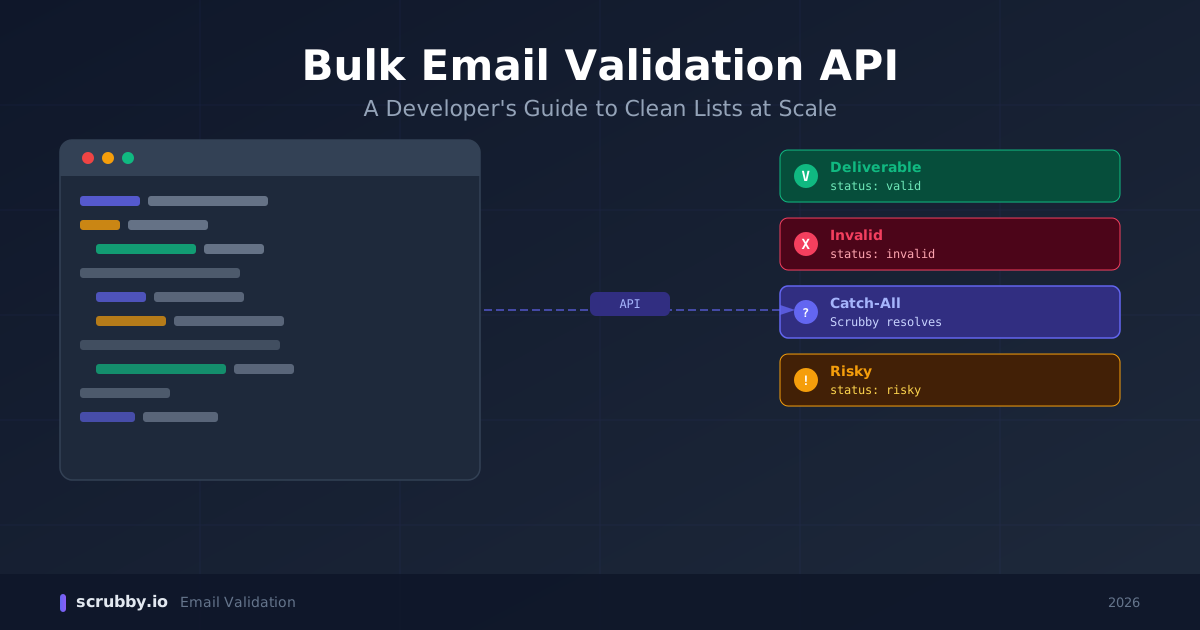
- Deliverable / Risky / Unknown at the mailbox level
Webhook Support
For async bulk jobs, webhooks let your system react when validation finishes without polling. This is non-negotiable for production integrations.
Pricing Model
Per-verification pricing is standard, but the definition of “a verification” varies. Some vendors charge for every address processed; others only charge for ones that return a conclusive result. Read the pricing page carefully before estimating costs on a large list.
Integration Patterns
There are three common ways to plug a bulk email validation API into your stack.
1. Pre-Send List Cleaning
Upload a CSV or pass a batch of addresses before a campaign goes out. Wait for the job to complete, filter results by status, and only send to addresses that came back deliverable. This is the safest pattern and works well when you have lead time before the send.
2. Signup-Time Validation
Validate individual addresses in real time as users register or fill out a lead form. This catches typos and disposables at the point of entry, before they pollute your list. Keep in mind that real-time validation adds latency, so you need a fast API and a sensible timeout (usually 3-5 seconds).
3. Continuous CRM Hygiene
Run periodic validation jobs against your existing contacts — monthly, or triggered by inactivity. Email addresses decay at roughly 22% per year, so a list that was clean six months ago has already drifted. Automating this keeps your CRM from silently accumulating dead weight.
What to Do With Each Result Status
Once your validation job comes back, you need a decision rule for each status category. Here is a reasonable starting point:
| Status | Action |
|---|---|
| Deliverable | Send |
| Invalid (syntax/domain) | Suppress permanently |
| Invalid (mailbox rejected) | Suppress or quarantine for re-check |
| Disposable | Suppress permanently |
| Catch-all (unresolved by standard tools) | Use Scrubby to resolve; do not suppress blindly |
| Unknown | Re-check with a secondary source; do not suppress blindly |
The catch-all row is where most teams leak value. Blanket-suppressing catch-all addresses is safe but expensive — you are discarding real contacts to avoid a problem that better tooling can solve.
Handling Catch-All Addresses Specifically
When a standard validator returns “catch-all” or “unknown,” you have three options:
Option A: Suppress. You will not bounce, but you will miss everyone reachable on those domains. On a B2B list this is often the majority of your addresses.
Option B: Send anyway. You get the reach, but you absorb the bounces. If catch-all domains actually discard unrouted mail (many do), your bounce rate climbs fast.
Option C: Use a specialized resolver. Scrubby takes catch-all addresses that other tools cannot resolve and applies a different detection layer to separate the reachable ones from the true dead ends. You send to the reachable ones and suppress the duds, without needing to guess.
Option C is the right answer for any B2B pipeline where list quality actually matters.
Common Mistakes to Avoid
Treating “unknown” as “safe to send.” Unknown means the tool could not determine the result — not that the address is fine. Send to a large unknown segment and you will find out which ones were invalid the hard way.
Validating once and never again. Email addresses go stale. Build re-validation into your pipeline on a schedule, not just at the point of acquisition.
Ignoring role addresses. Addresses like info@, support@, admin@ are technically deliverable but are often shared inboxes or distribution lists. They respond poorly to cold outreach and can damage engagement metrics. Flag them separately and treat with caution.
Skipping MX record checks. A syntactically valid address on a domain with no MX record will always bounce. This is a cheap check that should happen before any SMTP probe.
Building around a single API with no fallback. Validation APIs have occasional downtime. If you are validating at signup time, have a fallback path (skip validation and flag for async review, or return a graceful error) rather than blocking the user entirely.
Why Catch-All Verification Changes the Calculus
Here is the practical impact for a B2B list. Suppose you have 10,000 contacts:
- 6,000 come back definitively valid — send without hesitation
- 1,500 come back definitively invalid — suppress
- 2,500 come back catch-all or unknown
With a standard tool, you either suppress the 2,500 (losing any reachable contacts in that group) or send to all of them blind. With Scrubby, a meaningful portion of that 2,500 resolves to deliverable — typically the majority — so you recover reachable contacts instead of leaving them on the table.
On a cold outreach list where every qualified contact has real value, that recovery matters.
Getting Started
If you are evaluating bulk email validation APIs, the fastest path to a real comparison is to run the same test list through multiple tools and compare how they handle the catch-all segment specifically. That is the segment that separates tools that genuinely improve deliverability from tools that just relabel the problem.
Scrubby offers API access alongside its bulk upload interface. If catch-all resolution is a priority for your use case — and for B2B outreach it almost always should be — it is worth running a test against your actual list before committing to a vendor.
Clean lists are not just about avoiding bounces. They are about sending to people who can actually receive your message. The addresses a standard tool tells you to discard are often the ones worth keeping.

Amit S.
Marketing Lead